Backlinks remain one of the most powerful ranking factors in SEO—but not all links help your website. Some links hurt your rankings, destroy your credibility, and even trigger Google penalties. That’s where disavowing backlinks becomes critical.
In this in-depth guide, you’ll learn:
- What disavow backlinks really means
- When you should (and shouldn’t) disavow links
- How to find toxic backlinks
- A step-by-step disavow process
- Common mistakes to avoid
- Real risks and benefits
- How disavow fits into modern SEO in 2026
Let’s clean your backlink profile the right way.
What are Disavow Backlinks?
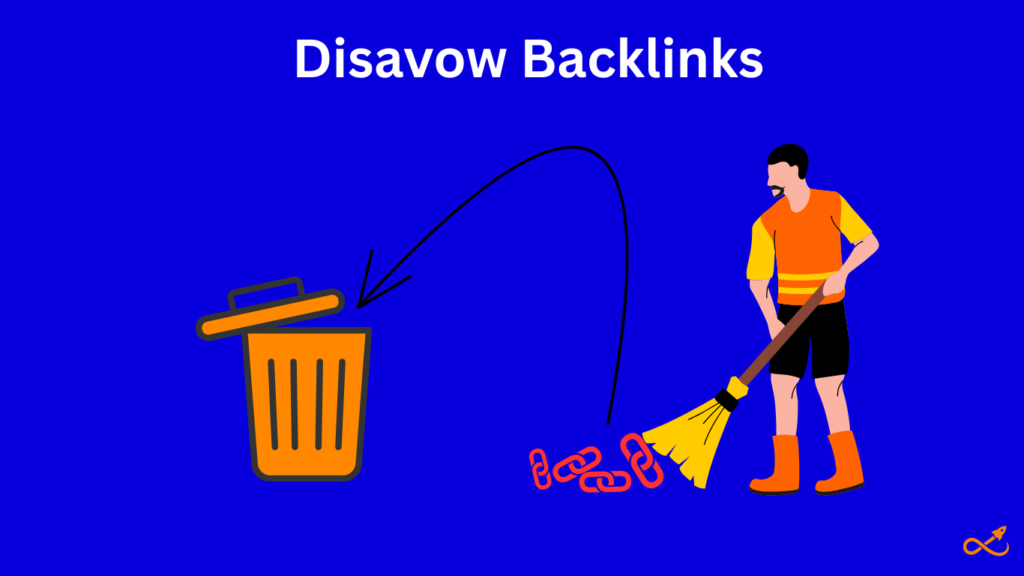
Disavowing backlinks means telling Google:
“I don’t trust these links. Please ignore them when evaluating my website.”
Instead of removing links manually (which is often impossible), you submit a disavow file through Google Search Console. This file lists the URLs or entire domains you want Google to ignore.
Disavowing does NOT remove links from the internet; it simply neutralizes their SEO impact.
| What can harmful links do? Harmful links can drag down your Google rankings by making your site look untrustworthy. They can even trigger penalties if Google thinks you’re using spammy or fake backlinks. Overall, they hurt your website’s reputation and reduce your chances of showing up in search results. |
Why Toxic Backlinks Are Dangerous?
While Google’s algorithm is smarter than ever, it still relies heavily on link trust signals. Toxic backlinks can still:
- Trigger manual penalties
- Cause algorithmic devaluations
- Suppress keyword rankings
- Reduce domain trust
- Block your site’s growth
Common toxic link sources include:
- PBNs
- Spam blogs
- Auto-generated websites
- Casino, adult & pharma sites
- Comment spam
- Hacked domains
- Link farms
- Low-quality directories
Even if you didn’t build these links yourself, you’re still responsible for them.
When Should You Disavow Backlinks?
Disavowing is a serious SEO action. You should ONLY disavow when there is a real risk.
You Should Disavow If:
- You received a manual action for unnatural links
- Your site suffered a sudden ranking drop due to toxic link growth
- You were a victim of negative SEO
- You previously used black-hat link building
- Your backlink profile is filled with spam domains
- You bought cheap links in the past
You Should NOT Disavow If:
- You just see some low DR links with no penalty
- Rankings are stable
- The links are irrelevant but harmless
- You aren’t certain about toxicity
Disavowing good links by mistake can permanently damage your SEO.
How to Identify Toxic Backlinks?
Never judge toxic links by DR alone. You must evaluate context, intent, and patterns.
Here are the real toxicity signals used by professionals:
1. Irrelevant Niches
Example: You run a SaaS website but get links from:
- Adult blogs
- Gambling sites
- Crypto pump blogs
These links look manipulative.
2. Spam Anchor Text
Look for:
- Exact-match money keywords repeated everywhere
- Foreign language anchors
- Keyword stuffing in anchors
3. Link Network Patterns
If many links come from:
- Sites with similar layouts
- Same IP ranges
- Same content structure
That’s usually a PBN or automation network.
4. Thin or AI-Spun Content
- 300-word articles
- No traffic
- No real engagement
- No brand presence
5. Sudden Link Spikes
100+ links appearing in days from low-quality domains is a classic negative SEO attack.
How to Disavow Backlinks in Google Search Console
is is the safe professional workflow used by us.
Step 1: Search for Harmful backlinks
As a link building agency, we use Ahrefs as a link building tool that helps us in getting all the link building metrics of a site, including domain rating, organic traffic,and backlink profile of a website, etc.
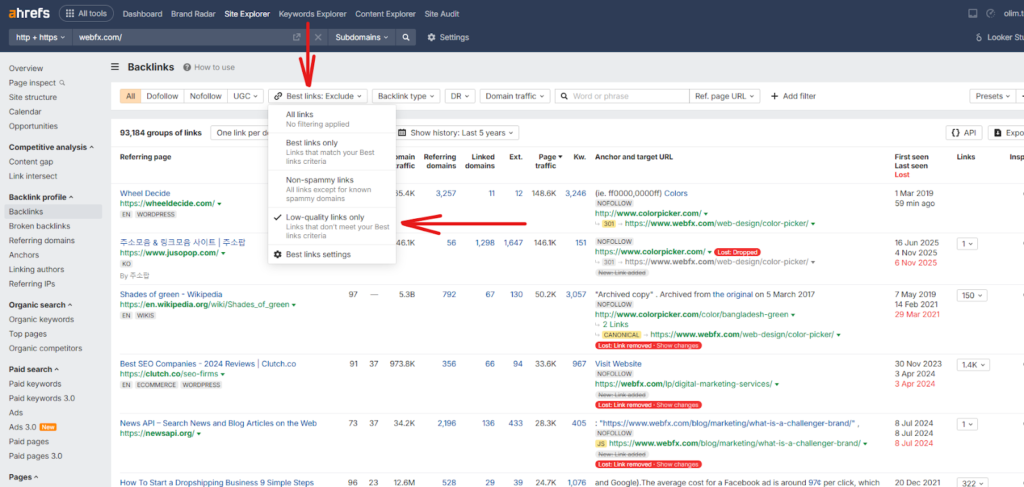
Let’s take webfx.com as an example and search for its harmful backlinks. First, you go to the backlink section in the site explorer tab.
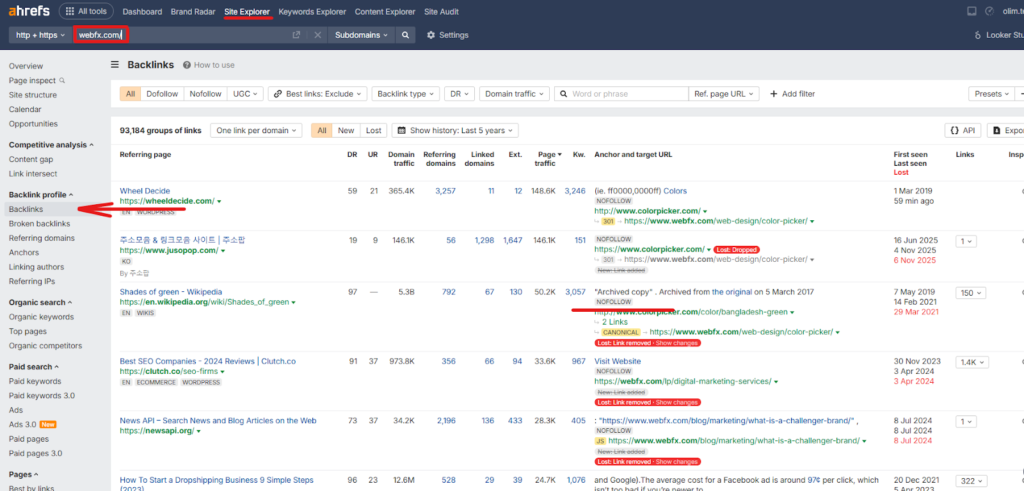
Now, add a filter “low quality links only” from the upper menu of backlinks.
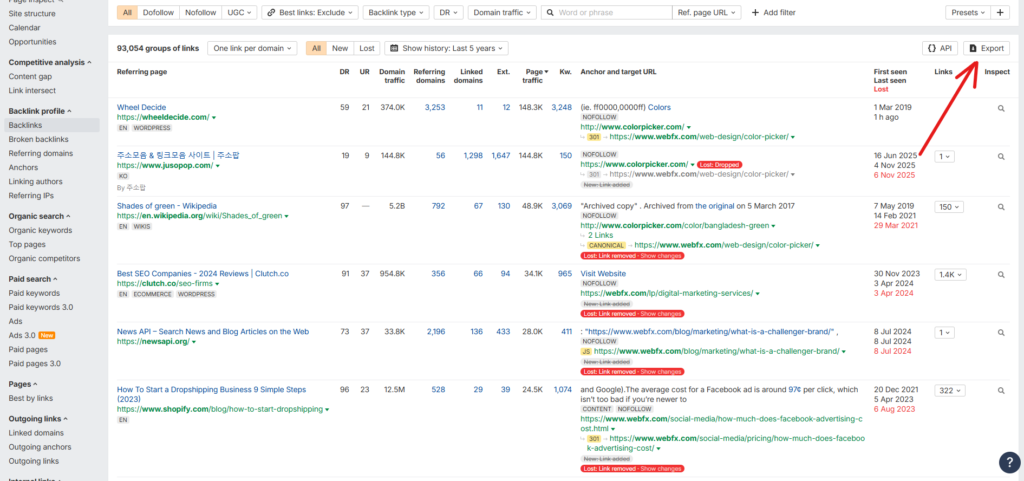
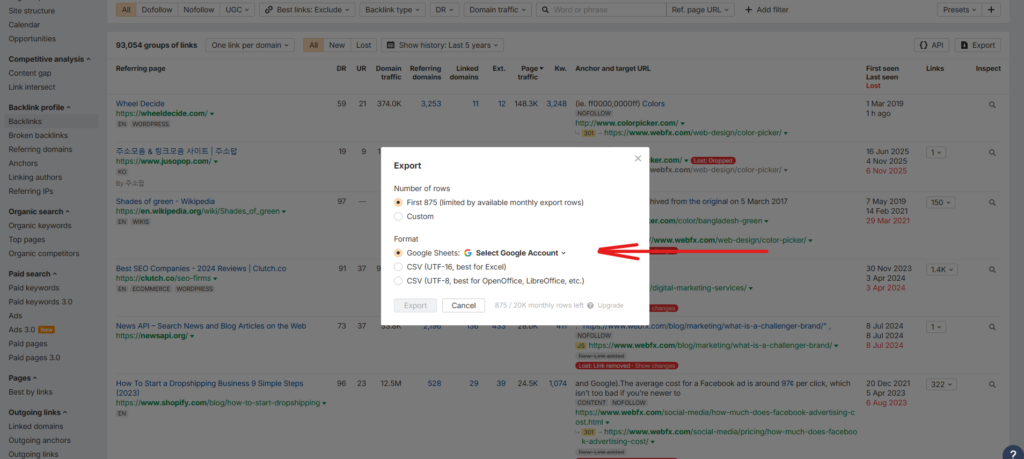
Step 1: Export All Backlinks
Export all the low-quality links shown on Ahrefs to a Google sheet.
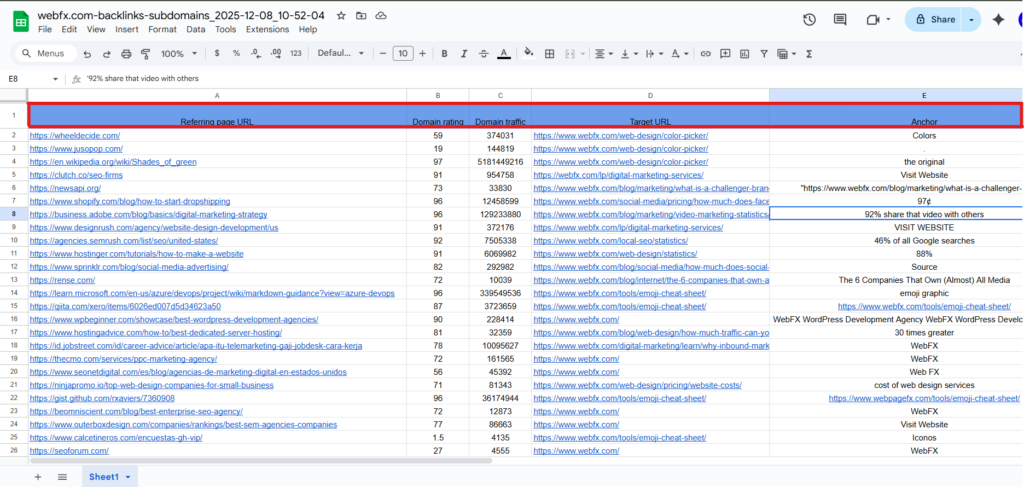
Step 2: Categorize Links
Create columns for:
- Domain
- URL
- Niche relevance
- Traffic estimate
- Anchor text
- Risk level (Safe / Suspicious / Toxic)
Step 5: Create the Disavow File
Use a plain .txt file.
For single URLs:
https://spamwebsite.com/bad-link.html
For entire domains:
domain:spamwebsite.com
Use domain-level disavow for large spam networks.
Step 6: Upload to Google Disavow Tool
- Go to Google Search Console
- Select property
- Open Disavow Tool
- Upload file
This tool is NOT reversible instantly.
Step 7: Monitor Results for 4–10 Weeks
Track:
- Rankings
- Impressions
- Keyword movement
- Crawling behavior
Recovery is gradual — not instant.
Final thoughts:
Yes — if you truly have toxic links
No — if your profile is generally healthy
Disavowing is a surgical SEO tool, not a routine cleanup button. Used responsibly, it protects your site. Used blindly, it can destroy years of SEO growth.