If you run a website, blog, or online business, one of the most important questions you’ll ask is:
“Where does my website rank on Google?”
Knowing your website’s position in Google search results helps you measure your SEO performance, track improvements, and identify opportunities to outrank competitors.In this guide, you’ll learn how to check your website position on Google, the best tools to use, and how to monitor keyword rankings effectively.
What Does Website Position on Google Mean?
Your website position refers to where your page appears in Google search results (SERPs) for a specific keyword.
For example:
If someone searches for “best SEO agency” and your website appears as the 3rd result, your position is #3.
This position is important because:
- Higher rankings drive more traffic
- Top 3 results receive the majority of clicks
- Better rankings increase brand credibility
To check these rankings accurately, you need to use rank tracking methods and SEO tools.
Why Checking Your Google Ranking Matters
Tracking your website position is essential for improving SEO performance.
Benefits include:
1. Measure SEO Progress
Tracking rankings helps you see whether your SEO strategy is working.
2. Discover Keyword Opportunities
Rank tracking tools reveal which keywords already drive traffic.
3. Monitor Competitors
You can compare your ranking with competitors and adjust your strategy.
4. Identify Ranking Drops
Sudden drops may indicate algorithm updates, technical issues, or lost backlinks.
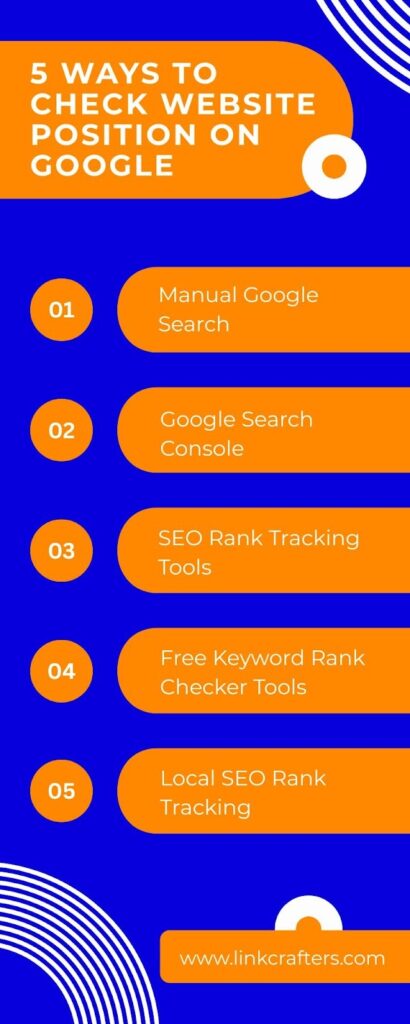
5 Ways to Check Website Position on Google
1. Search Your Keyword Manually on Google
Manually Checking Your Google Ranking
One of the easiest ways to see where your website appears in search results is by manually searching your target keyword on Google. This method is simple and does not require any SEO tools, which makes it useful for quick checks. You can do this by opening Google Search in your browser and typing the keyword you want to rank for.
After entering the keyword, go through the search results and look for your website. The position where your page appears on the results page represents your ranking for that specific keyword.
For example, if you search for “video production services” and your website appears as the sixth result on the page, then your ranking for that keyword is #6. While this method works for a quick overview, it can take time if you want to check many keywords.

Why Manual Ranking Checks Can Be Inaccurate
Although manual searches are simple, the results you see are not always completely accurate. Google often personalizes search results for each user based on several factors. This means two people searching for the same keyword might see slightly different rankings.
Some of the factors that influence personalized search results include your search history, current location, device type, and previous browsing behavior. Because of this personalization, the ranking you see may not represent the exact position other users see.
How to Reduce Personalization Bias
If you want to make manual ranking checks slightly more accurate, there are a few things you can do to reduce personalization. First, use your browser’s incognito or private mode to prevent Google from accessing your browsing history. It also helps to log out of your Google account before searching.
Another useful step is to disable location services, since Google sometimes adjusts results based on where you are searching from. These steps can help you get a more neutral view of the search results.
Even with these adjustments, manual checking is still not the most reliable method for professional SEO tracking. For accurate and consistent data, many website owners prefer using dedicated SEO tools that track keyword rankings automatically.
2. Check Rankings Using Google Search Console
One of the most accurate ways to see your keyword positions is by using Google Search Console.
This free tool shows:
- Average keyword position
- Click-through rate (CTR)
- Impressions
- Search queries
Steps to Check Ranking in GSC
- Log into Google Search Console
- Open Performance → Search Results
- Enable Average Position
- View keywords and their ranking positions
Google Search Console provides ranking data directly from Google itself, making it one of the most reliable SEO tools.
However, it shows average positions rather than exact real-time rankings.
3. Use SEO Rank Tracking Tools
Professional SEO tools offer the most accurate way to monitor rankings. These tools track your keywords daily and provide detailed analytics.
Popular rank tracking tools include:
Ahrefs
At LinkCafters, we rely on Ahrefs to monitor how our keywords perform on Google. Instead of checking rankings manually, Ahrefs provides a much more accurate and efficient way to track keyword positions.
The Rank Tracker feature in Ahrefs allows us to monitor keyword rankings across both desktop and mobile search results. This helps us understand how our content performs for different users, since search results can vary depending on the device being used. The tool also provides location-based ranking data, which is useful for tracking how a website performs in specific regions or countries.
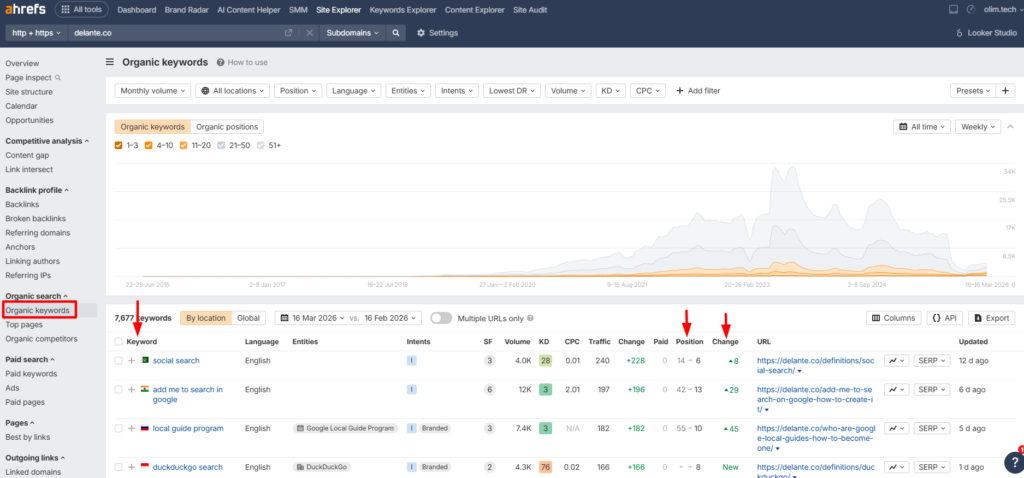
Another advantage of using Ahrefs is the ability to track ranking changes over time. We can easily see whether a keyword is improving, dropping, or remaining stable in Google search results. These insights help us refine our SEO strategies, update content when needed, and focus on keywords that have the highest potential to drive organic traffic.
By using Ahrefs regularly, we can keep a close eye on our Google rankings and make data-driven decisions to improve our search visibility.
SEMrush
SEMrush is another widely used SEO platform that helps marketers build and refine their search engine optimization strategies. It offers a variety of tools and detailed reports that support different areas of digital marketing, including SEO analysis, PPC research, keyword research, competitor analysis, content marketing, and campaign management. These features allow website owners to better understand how their site performs in search results and identify opportunities to improve visibility.
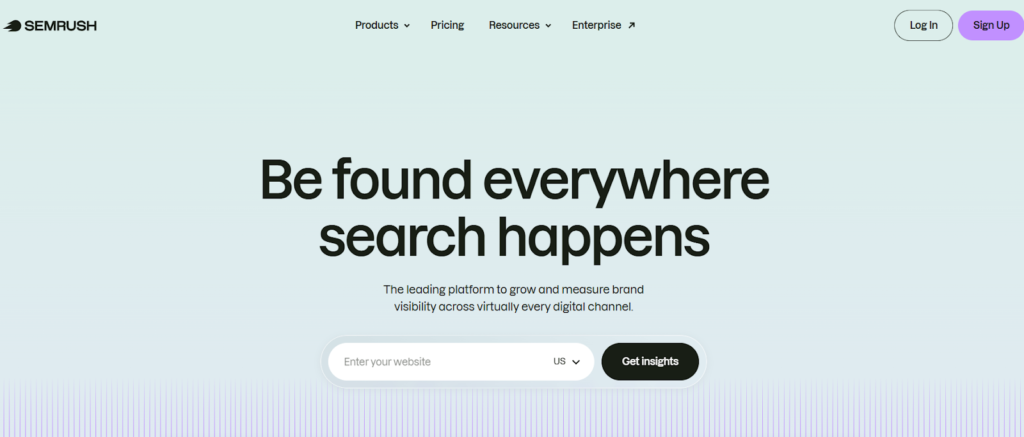
For those who want to check their Google rankings, SEMrush provides a Position Tracking tool that monitors how specific keywords rank in search results over time. It also shows ranking changes, competitor positions, and performance insights for both organic and paid search results. By analyzing this data, marketers can evaluate their SEO efforts, track progress, and make informed decisions to improve their website’s rankings on Google.
Moz
Moz is a trusted SEO platform that helps website owners analyze and improve their performance in search engines. It offers several useful tools such as keyword research, site audits, backlink analysis, and competitive insights. These features make it easier for marketers and bloggers to understand their SEO performance and identify opportunities to increase their website’s visibility on Google.
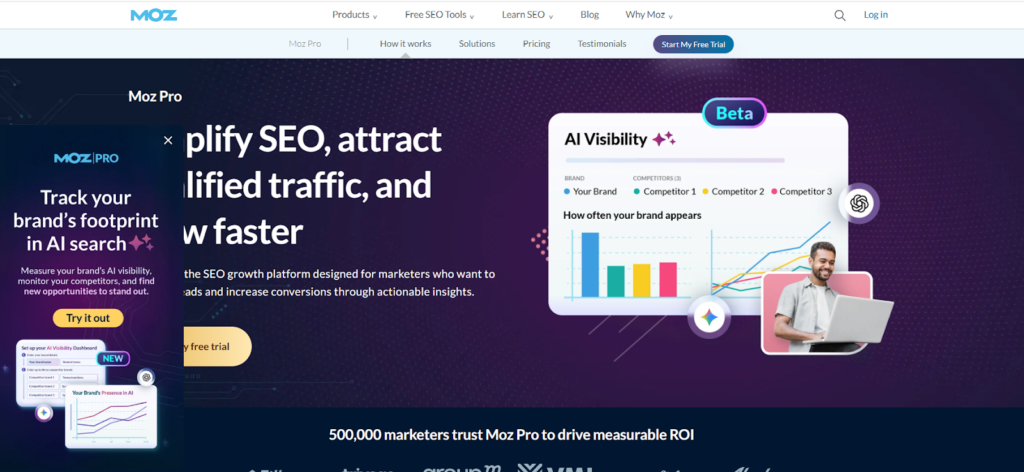
To check keyword rankings, Moz includes a Rank Tracking feature that monitors how selected keywords perform in Google search results. It provides updates on position changes, search visibility trends, and comparisons with competitors targeting the same keywords. By reviewing these insights, website owners can track their SEO progress and adjust their optimization strategies to achieve better rankings.
Ubersuggest
Ubersuggest is a beginner-friendly SEO platform that helps bloggers and website owners understand how their pages perform in Google search results. Created by Neil Patel, the tool focuses on simplifying SEO data so users can quickly identify useful keywords, analyze competitor domains, and discover new content opportunities that could attract organic traffic.

If you want to monitor your position on Google, Ubersuggest includes a keyword rank tracking feature that shows where your website appears for specific search terms. It provides regular updates on ranking movements and highlights whether your keywords are gaining or losing visibility. By reviewing this data, website owners can determine which pages are performing well and where additional optimization may be needed to improve their search rankings.
What Rank Tracking Tools Show?
These tools typically provide:
- Exact keyword position
- Ranking changes over time
- Keyword difficulty
- Estimated traffic
- Competitor rankings
For example, rank trackers allow you to monitor how your site performs across search engines and locations and track changes in keyword rankings over time.
This makes them essential for agencies and professional SEO campaigns.
4. Use Free Keyword Rank Checker Tools
If you don’t want to pay for SEO software, free rank checkers can help. These tools allow you to check a keyword position instantly.
How Rank Checker Tools Work
Most tools require two inputs:
- Target keyword
- Website URL
The tool then scans Google search results and returns your exact ranking position.
These tools are ideal for:
- Quick ranking checks
- Bloggers
- Small businesses
- Beginners learning SEO
However, they usually lack advanced features like historical tracking and competitor monitoring.
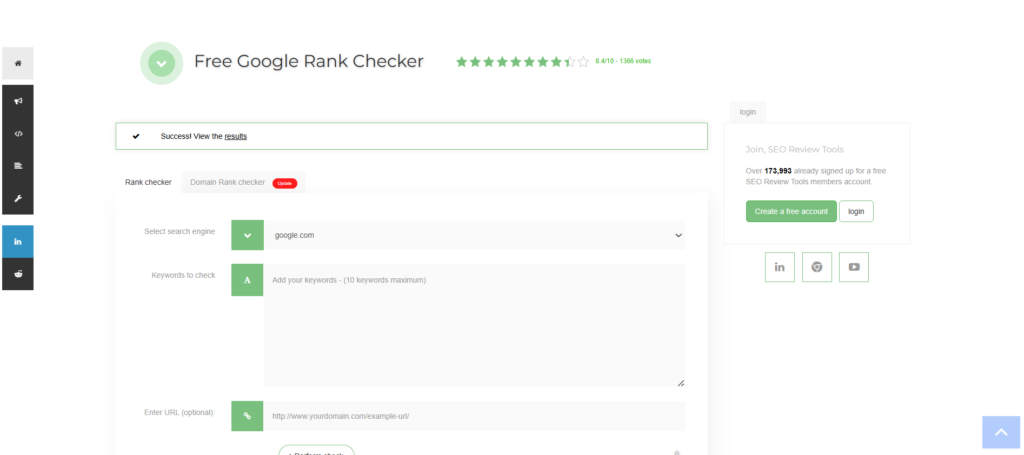
Here’s a screenshot of a free rank checker tool named SEOreviews. You can enter which search engine you want to check (Google, Firefox, etc). Then add keywords on which you want to see where your website stands. You can also give them your site’s domain if you want.
5. Track Local Rankings for Local SEO
If your business serves customers in a specific city, region, or neighborhood, checking your Google ranking from just one location can give you a misleading picture. This is because Google personalizes search results based on the searcher’s location. Someone searching for the same keyword in two different cities may see completely different results. For example, if someone searches for “best dentist” in New York, Google will prioritize dentists located in or near New York. The same search performed in Los Angeles will show an entirely different set of businesses.
This is why tracking local rankings is essential for businesses that rely on local customers. Instead of looking at global keyword rankings, local businesses need to understand how they appear in search results within their target areas. This includes both traditional organic results and the Google local pack (the map results that appear for local queries).
Local SEO ranking tools help solve this problem by simulating searches from different geographic locations. These tools allow you to check how your website ranks for specific keywords in particular cities, neighborhoods, or even zip codes. By doing this, you can see exactly what potential customers in those locations see when they search.
Some popular tools that help track local rankings include:
- BrightLocal – A comprehensive local SEO platform that tracks keyword rankings in specific cities and provides detailed reports on local search performance. It also helps monitor local citations and online reviews.

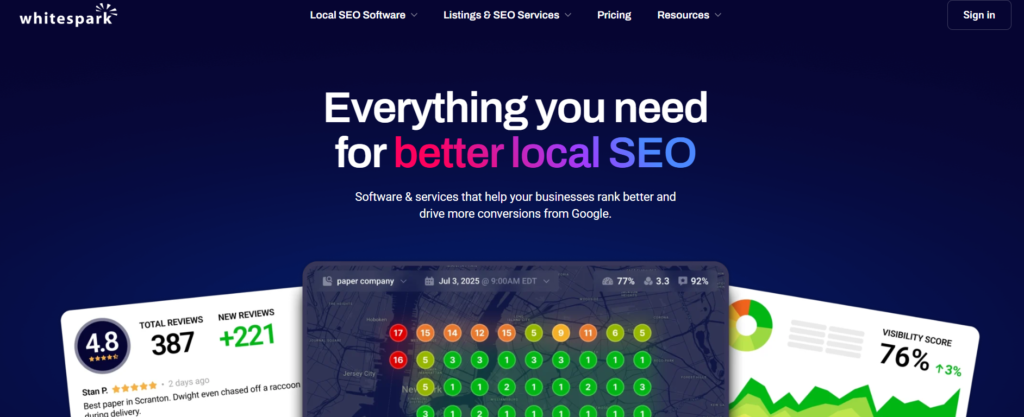
- Whitespark – Known for its accurate local rank tracking and tools for finding citation opportunities. It allows businesses to see how their rankings change across different locations.
- GeoRanker – A tool designed specifically for tracking search engine rankings by geographic area, making it useful for businesses targeting multiple cities or regions.
Using these tools, you can monitor how your website performs in different locations, identify areas where your visibility is strong, and discover regions where you may need to improve your local SEO efforts. This insight helps you optimize your website, local listings, and content to better target specific geographic markets.
Tips to Improve Your Google Rankings
Checking rankings is only the first step. Improving them requires consistent SEO work.
1. Target the Right Keywords
Choose keywords with search volume and reasonable competition.
2. Create High-Quality Content
Google prioritizes helpful, informative content.
3. Build High Authority Backlinks
Backlinks remain one of the most important ranking factors.
4. Optimize On-Page SEO
Improve:
- Title tags
- Meta descriptions
- Internal linking
- Content structure
5. Improve Site Speed
Fast websites perform better in search results.
How LinkCrafters Helps Improve Your Google Rankings
If you want your website to rank higher on Google, high-quality backlinks are essential.
At LinkCrafters, we help businesses increase their search rankings through:
- High-authority guest posts on guest posting sites.
- Niche edits and contextual backlinks
- White-hat link building strategies
- SaaS and agency link building campaigns
Our backlinks help websites increase domain authority, improve keyword rankings, and drive organic traffic.
Explore our packages and pricing to start building powerful backlinks. Contact us now and start improving your ranking today.
Final Thoughts
Knowing how to check your website position on Google is a fundamental SEO skill.
Whether you use Google Search Console, rank tracking tools, or manual searches, monitoring your rankings helps you understand how your SEO efforts perform.
But tracking rankings is only the beginning.
To achieve consistent growth, you must invest in high-quality content, technical SEO, and authoritative backlinks.
FAQs
1. How can I check my website ranking on Google for free?
You can use free tools like:
- Google Search Console
- Free keyword rank checkers
- Manual keyword searches
Google Search Console is usually the most reliable free option.
2. Why does my website ranking change every day?
Rankings fluctuate due to algorithm updates, competitor changes, search personalization, and new content being indexed.
3. What is a good ranking position on Google?
Generally:
- Positions 1–3 receive the most clicks
- Positions 4–10 still drive traffic
- Results beyond page 1 receive very little traffic.
4. How often should I check my keyword rankings?
Most SEO professionals track rankings weekly or daily using rank tracking tools.